
13 Oct 2026 6 min read
How to delete hundreds or thousands of TikTok reposts
Get the real number, decide what stays, remove in batches. What it costs by hand and with an app.
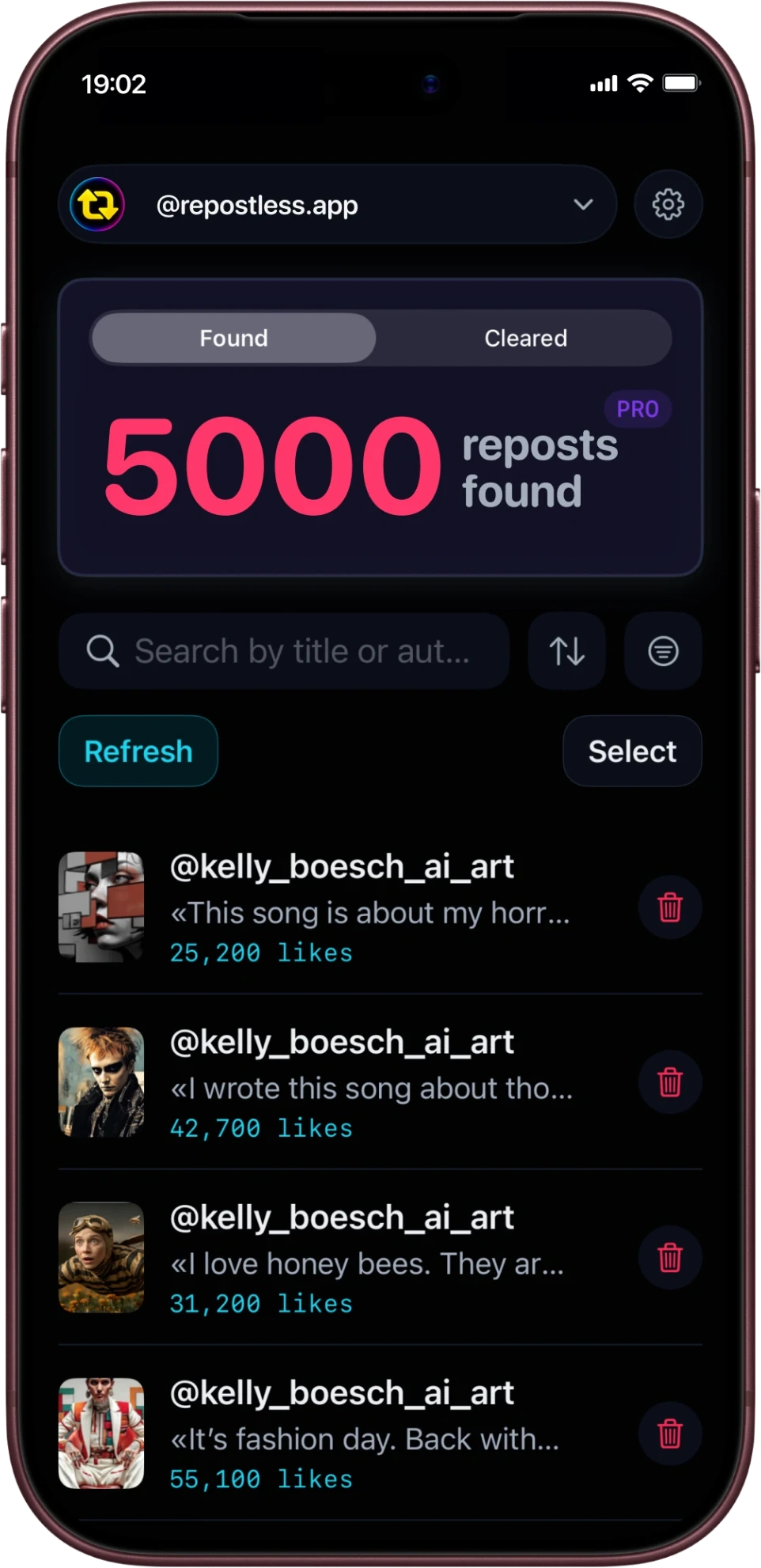
Read guide >Reposts pile up for years and TikTok gives you no way to clear them in bulk. Repostless scans your profile, lists every repost, and removes the ones you pick - inside your own session, so your password never leaves your phone.
Independent app for TikTok. Not affiliated with or endorsed by TikTok.
How it works
You sign in with TikTok itself, inside the app - the same screen as in a browser. Repostless never sees your password.
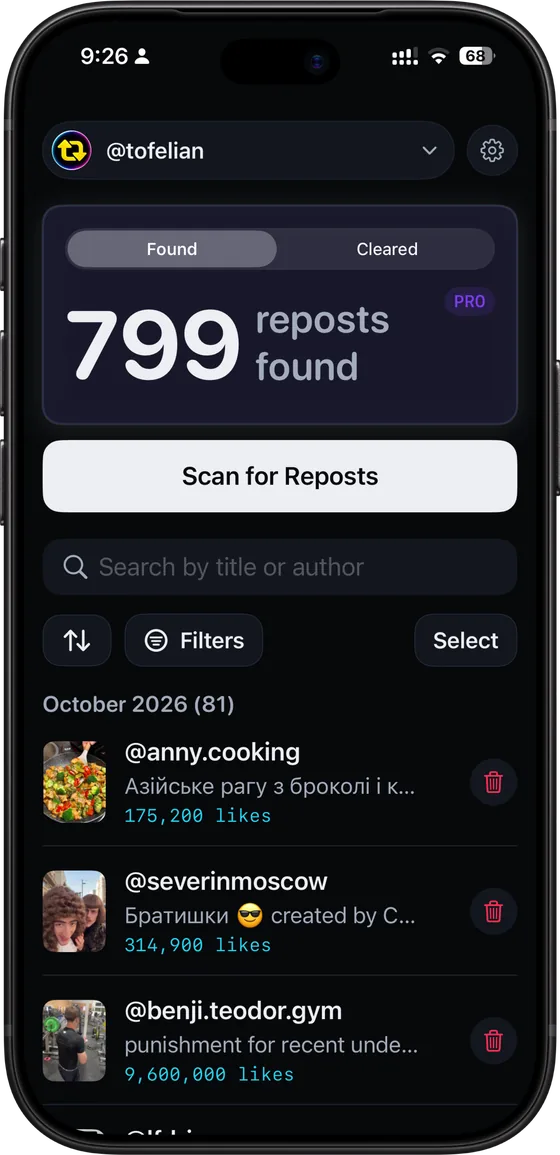
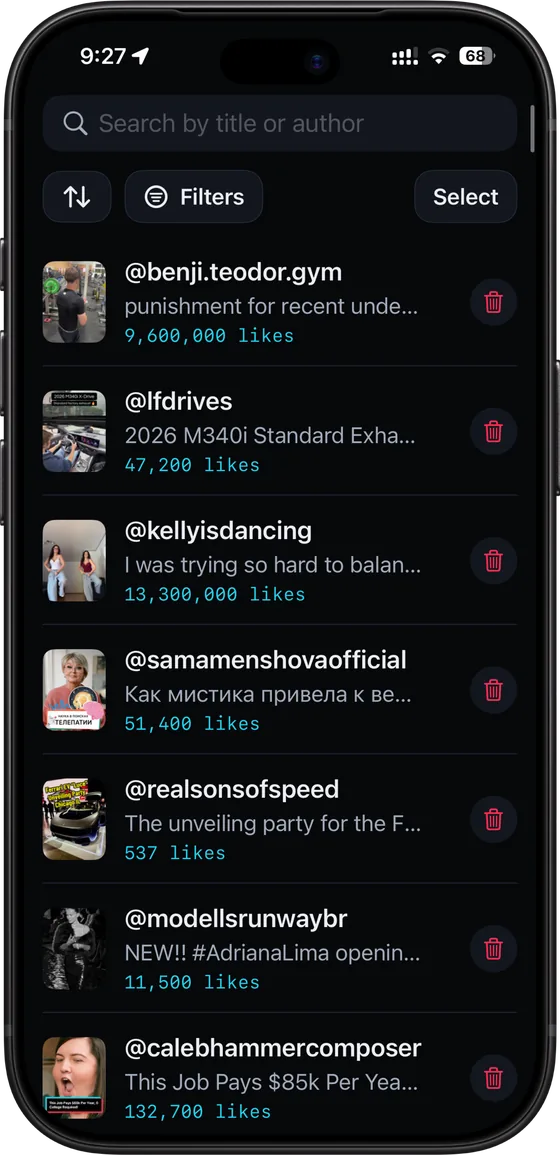
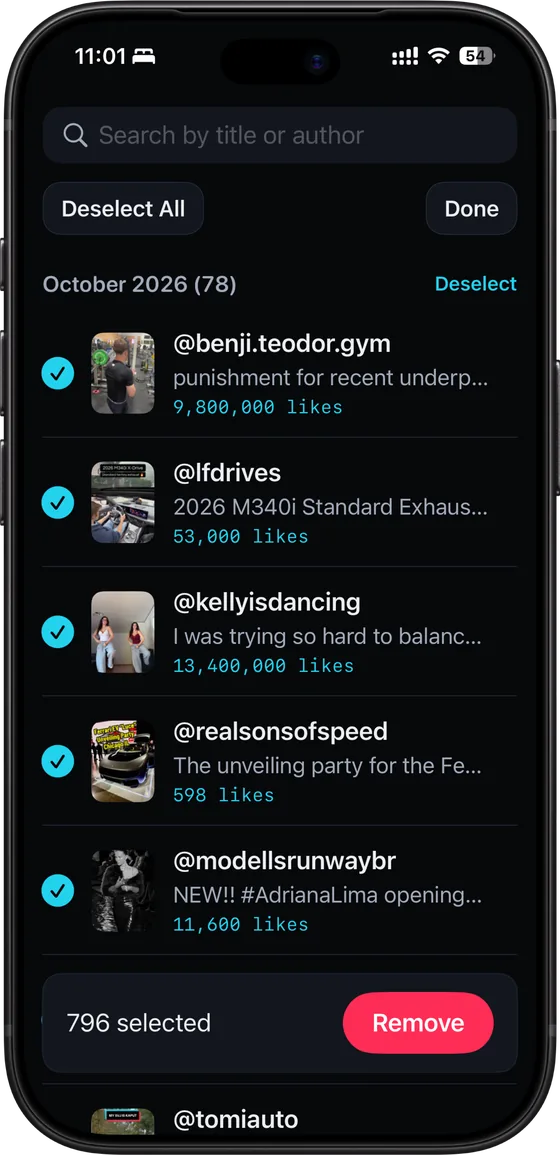
Repostless walks your repost tab and lists what it finds, with the author, the caption and the like count for each one.
Select some or select all, confirm, and watch the progress bar. Pause, resume or cancel at any point - nothing is lost.
Live estimate
Three taps per video adds up fast. Move the number and see.
12min 30sec
Paced removal, about 3 sec per video
41min 40sec
Share > Remove repost > find the next one, about 10 sec each
29 min 10 sec saved - 12 min 30 sec instead of 41 min 40 sec
Both paces are estimates. Actual speed varies with your connection and with TikTok's own rate limits.
The problem
TikTok makes reposting one tap and gives you no way to undo it in bulk. Here is why that matters.
The repost button sits in the share sheet. One mistaken tap and the video is on your profile.
Changed your niche, rebranded, or grew up since 2022. Old reposts still speak for you.
Anyone can open your repost tab and scroll years back. Clearing it is a privacy decision, not vanity.
TikTok has no "remove all reposts". Repostless does the removals for you, one by one, quickly.
What's inside
Select all, or tick the ones you want. Removals run one after another at a deliberate pace, with a progress bar and an estimate of what is left.
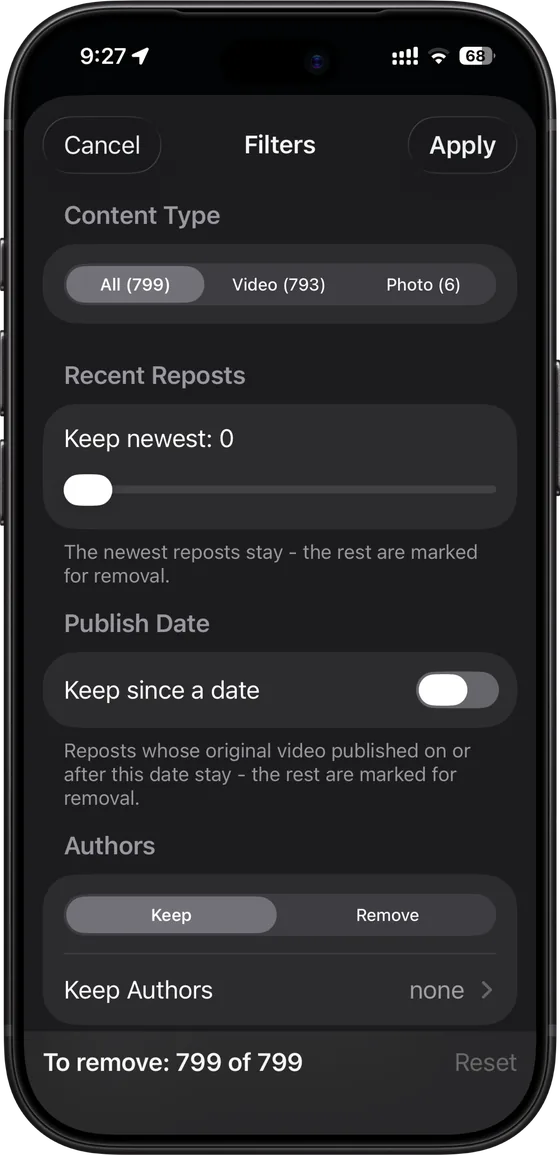
Find a repost by title or author, change the scan order, and narrow the list down before you remove anything.
Leave the app and the run pauses. You get one notification, and it resumes where it stopped.
Tap the bin on a single row or select a batch. Your first removals are free either way.
Everything removed is listed by month and day, so you can find a video again and repost it by hand if you change your mind.
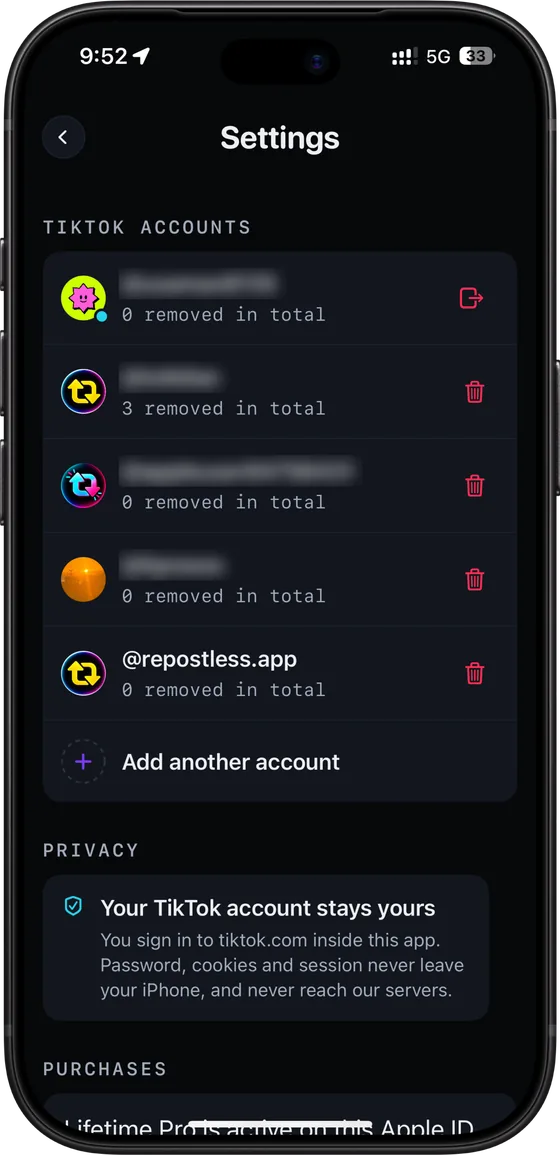
Connect several TikTok accounts and switch between them. The interface speaks English, Deutsch, Español, Français, Português (Brasil) and Русский.
Screenshots
From the first scan to every account you clean.
Privacy
Repostless does not store your password or your account data. It works on your phone, in your own session, and does actions you could perform by hand.
You sign in through TikTok's own screen. The session that comes back stays on the phone - it is not uploaded, proxied or kept by us.
Repostless works in your own signed-in session on your phone, spaced out deliberately. Nothing goes through a Repostless server.
Erase the local data from Settings, sign out, or delete the app. Your TikTok account is left exactly as it was.
The alternatives
| Method | Time needed for 500 reposts | Risk | Cost |
|---|---|---|---|
| By hand | about 1 hr 23 min | None | Free |
| Tools that ask for your login | Varies | Depends on the tool | Varies |
| Repostless | about 25 min | Low | Free to try, Pro for bulk |
Times use the same per-video pace as the estimator above - an assumption, not a measurement. “Risk” means how the method treats your account, not a guarantee: TikTok can still act on any automated activity, ours included.
Other apps
Choose Repostless if you are on iPhone, iPad or Android and want your TikTok session to stay on the phone, with every repost listed before anything is removed. Choose ClearTok if you want free removals every day or a browser extension. Nine apps compared from their store listings.
Pricing
Scanning is free, and so are your first removals. Pro is for the profile with hundreds of them.
No card, no account with us
Weekly, monthly, yearly or one-off - prices shown in the App Store
Guides
What TikTok documents, what it does not, and how to clear a repost tab.
13 Oct 2026 6 min read
Get the real number, decide what stays, remove in batches. What it costs by hand and with an app.
Read guide >
13 Oct 2026 5 min read
TikTok shows no repost date. Two honest ways to clear the old ones and keep the recent.
Read guide >
13 Oct 2026 4 min read
Every free route, what each one costs in time, and where free tiers stop.
Read guide >FAQ
What it does and what it costs
An iPhone and Android app that clears the reposts on your TikTok profile. It scans your repost tab, shows everything it finds in one list, and removes what you select.
No. TikTok has no bulk option - you remove each repost through the share sheet. Repostless does those same removals for you, on your phone.
Your first removals are free, whether you remove reposts one at a time or in bulk. The free allowance is a one-time amount per device, shared across your TikTok accounts, and it does not reset. Pro removes the cap.
Yes. Search by title or author, sort, filter, or tick rows by hand before you confirm anything.
Android, yes: Repostless is on Google Play as well as the App Store. A browser extension is not out yet.
English, Deutsch, Español, Français, Português (Brasil) and Русский.
Your account, your session, the risks
No. Signing in happens in TikTok's own sign-in screen shown inside the app, the same one you would see in a browser. Repostless receives the session your phone gets afterwards, and that session stays on the phone.
Nobody can promise you it cannot. Repostless works in your own signed-in session on your phone, spaced out deliberately. Nothing goes through a Repostless server. That lowers the risk; it does not remove it. Automated use of a platform can also sit awkwardly with its terms of service, and that is worth knowing before you start.
Not from inside TikTok - a removed repost is gone. What Repostless keeps is a record: the clean-up history lists what was removed, so you can open the original video and repost it by hand if you want it back.
No. Keep the app open while it removes. If you leave, the run pauses, you get one notification, and it resumes from where it stopped rather than starting over.
The run stops rather than pushing through. You see what was removed so far, and you can resume - the app re-checks the profile instead of trusting its own count.
Not as far as we have seen - removing a repost is the same action TikTok offers in its own share sheet. This is TikTok's behaviour, not ours, and it can change.
Install Repostless and clear the tab you have been ignoring. Seeing the number is free.


No account with us · Works on iPhone and Android · Your session stays on the device