
Repost removers compared: what each one actually ships
This page compares only what can be checked from each app's public store listings, on the date below. We make one of these apps, so we have kept opinions and ratings out of it — store numbers move daily, and you can read them yourself at the links at the bottom.
ClearTok and Unrepostify ship on iPhone, Android and Chrome; Repostless is iPhone only. Whatever you pick, check first that it never asks for your TikTok password.
Platforms and publishers
| ClearTok | Unrepostify | Repostless | |
|---|---|---|---|
| iPhone | Yes | Yes | Yes |
| iPad / Mac | Listed as supported | Not listed | No |
| Android | Yes | Yes | No |
| Chrome extension | Yes | Yes | No |
| Publisher | Data-Traces LLC | Innovative Digital Technologies Ltd | The Metaverse Apps |
Checked against the App Store, Google Play and Chrome Web Store listings on 21 September 2026. Listings change; check the links below for the current state.
What is not in this table, and why
- Ratings and review counts. They change every day and we are not a neutral party.
- Speed, limits and pricing claims. Each vendor states its own; we have not measured the others, and quoting marketing claims side by side would make them look like facts.
- How each one handles your session. We can describe ours precisely. For the others we only have their own descriptions, which we cannot verify from outside.
Questions to ask of any repost remover
Whichever tool you pick — including ours — these are the questions that matter more than the logo:
- Does it ask for your TikTok password? A tool that works inside your own session never needs it. If it wants your credentials, a server somewhere is logging in as you.
- Where does the removal happen? On your device, in your session — or on the vendor's machines?
- Does it pace itself? Hundreds of instant actions are what automated spam looks like. A tool that boasts about raw speed is advertising risk.
- Does it keep a record? TikTok has no undo. A history of what was removed is the only way to put something back.
- Can you stop it halfway? Pause, resume and cancel should all be there, without losing track of what already happened.
Where Repostless sits
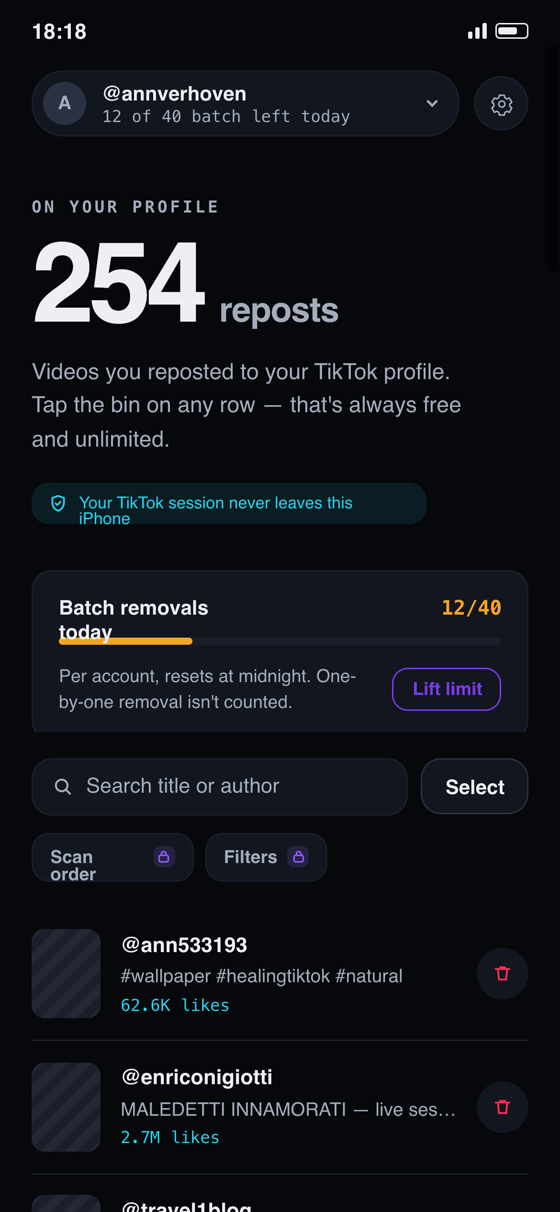
iPhone only, for now. You sign in on TikTok's own screen, the session stays on the phone, removals run paced and pausable, and every removed repost goes into an on-device history. If you need Android or a desktop extension, Repostless is not the answer today — and we would rather say so here than have you find out after installing.
On an iPhone?
Try Repostless on your own profile. Scanning is free, and so are your first removals.
Download RepostlessRelated guides
Sources
- ClearTok: Repost Remover — App Store listing (checked 21 September 2026)
- ClearTok — Google Play listing (checked 21 September 2026)
- ClearTok — Chrome Web Store listing (checked 21 September 2026)
- Unrepostify: Repost Remover — App Store listing (checked 21 September 2026)
- Unrepostify — Google Play listing (checked 21 September 2026)
- Unrepostify — Chrome Web Store listing (checked 21 September 2026)